

Check answers for more Product Design Questions: https://www.crackpminterview.com/t/product-design-questions
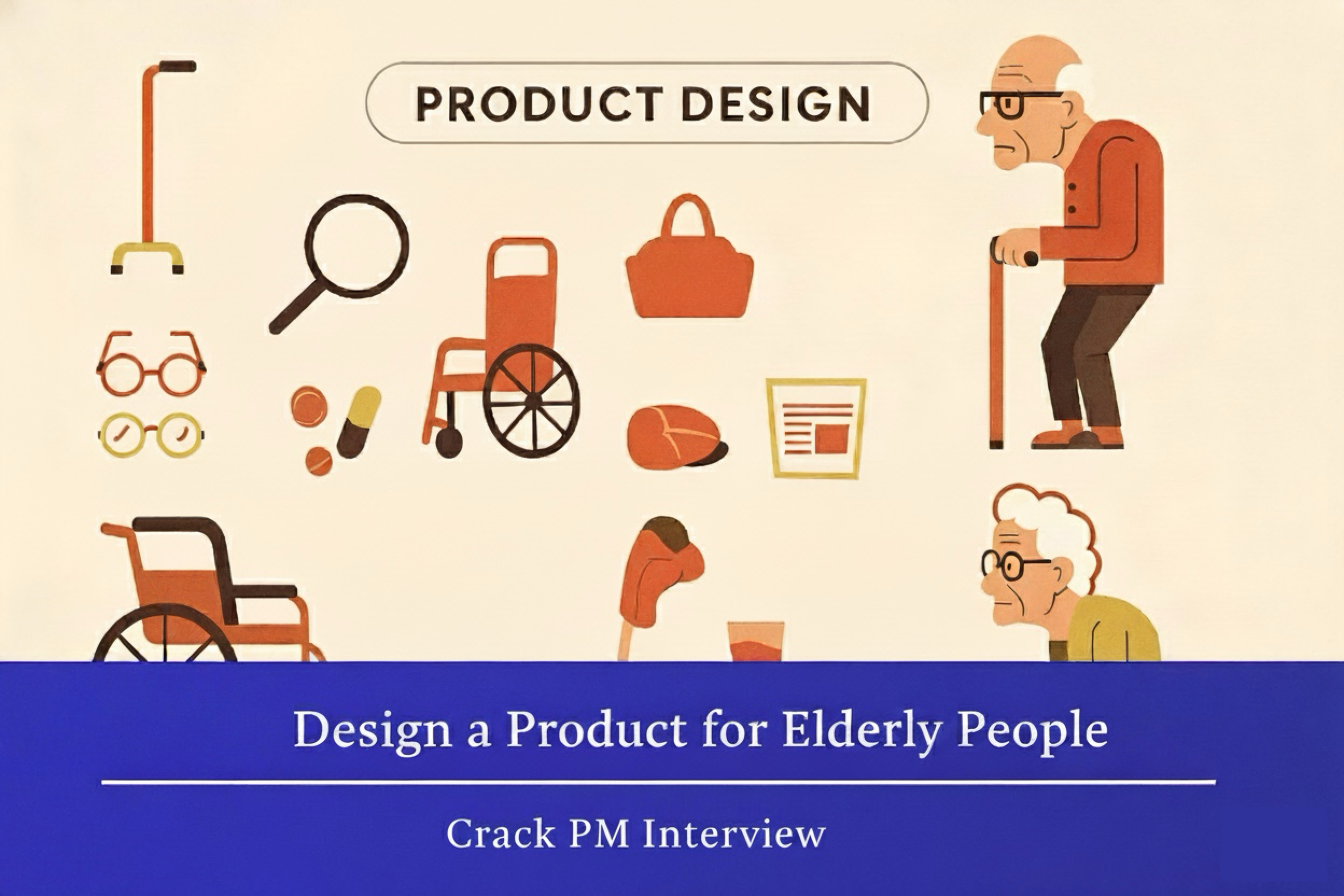
“Design a product for elderly people.”
This is one of the most common product design questions in PM interviews and for good reason. It’s deceptively simple yet reveals everything about how you think as a product manager.
The question is intentionally vague. There’s no “right” answer. What the interviewer really wants to see is:
Can you handle ambiguity?
Do you ask the right clarifying questions?
Can you demonstrate user empathy?
Do you think strategically about prioritization?
Can you structure your thinking clearly?
In this post, I’ll walk you through exactly how to answer this question using the CIRCLES Method™. You’ll see my complete thought process, including the questions I’d ask, the decisions I’d make, and why I’d make them.
For a deep-dive on “How to answer Product Design questions in PM Interview?” - read here
By the end, you’ll have a reusable template for tackling similar product design questions in your interviews.
Let’s dive in.
Step 1: Comprehend the Situation (⏱️ 2-3 minutes)
The biggest mistake candidates make is jumping straight into solutions. “We should build a fall detection device!” or “A simple phone for seniors!”
Slow down.
Before solving any problem, you need to understand what problem you’re actually solving. This starts with asking clarifying questions.
The Clarifying Questions I’d Ask
Here’s how I’d start this conversation with my interviewer:
Me: “Great question! Before I start brainstorming, let me ask a few clarifying questions to make sure I’m solving the right problem.”
Question 1: Define the target demographic
“When you say ‘elderly people,’ what age range are we thinking about? Are we talking about people 65+, 75+, or is there a specific age bracket you’d like me to focus on?”
Why this matters: “Elderly” is a broad term. A 65-year-old recent retiree has very different needs than an 85-year-old with mobility challenges. Clarifying this helps narrow the scope.
Question 2: Identify any specific problem areas
“Is there a particular aspect of elderly life we should focus on—like health, social connection, daily activities—or is this completely open-ended?”
Why this matters: This reveals whether the interviewer wants you to explore broadly or dive deep into a specific domain. Either answer is fine; you just need to know.
Question 3: Product format and constraints
“Should I assume this is a digital product, a physical product, a service, or am I free to explore any format?”
Why this matters: Different formats have different constraints. A physical product might have manufacturing costs and distribution challenges. A digital product might face adoption barriers with less tech-savvy users.
Question 4: Geographic scope
“Are there any geographic constraints I should consider, or should I think about this globally?”
Why this matters: Elderly care varies dramatically by culture. Family structures, living arrangements, and government support differ significantly between the US, Japan, and India, for example.
Question 5: New product or improvement?
“Are we creating something entirely new, or improving an existing product category?”
Why this matters: Starting from scratch gives you more creative freedom but requires more market education. Improving existing products means you’re working within established user behaviors.
Example Interviewer Response
Let’s say the interviewer responds:
Interviewer: “Great questions! Let’s focus on people 65 and older in the United States. I’m leaving the specific problem area open for you to identify, and you can propose any type of product or service. Assume you’re building something new rather than improving an existing product.”
Perfect. Now we have boundaries.
State Your Assumptions
Before moving forward, I’d explicitly state my assumptions:
Me: “Excellent, thank you. Just to confirm my understanding and state a few assumptions I’ll be working with:
Target demographic: Adults 65+ in the United States
Open to any problem area within elderly life
Any product format (digital, physical, service, or hybrid)
New product development, not an improvement
I’ll assume we have adequate resources for development but still need to be mindful of feasibility
Does that sound right?”
🎯 Tip: Stating assumptions demonstrates structured thinking and prevents misunderstandings. It also shows you’re thinking about real-world constraints, not just ideating in a vacuum.
Now we’re ready to identify our customer.
Step 2: Identify the Customer (⏱️ 2-3 minutes)
We know we’re designing for “elderly people 65+,” but that’s still too broad. A 65-year-old marathon runner has different needs than an 85-year-old with dementia.
Great product managers segment users and pick one primary segment to focus on. Let’s do that.
Potential User Segments
Here are five distinct user segments within the “elderly 65+” demographic:
Segment 1: Independent, Active Seniors (65-75)
Living independently in their own homes
Generally healthy with minor age-related changes
Socially engaged, may still work part-time
Comfortable with basic technology (smartphones, email)
Value autonomy and want to maintain independence
Examples: Recent retirees, empty nesters
Segment 2: Seniors with Mobility Challenges (70-85)
Living at home but with physical limitations
May use assistive devices (walkers, canes)
Need help with some daily activities
Concerned about falls and safety
May have limited tech proficiency
Examples: Arthritis sufferers, those recovering from injuries
Segment 3: Seniors with Cognitive Decline (75+)
Experiencing early to moderate memory issues
May have conditions like early-stage Alzheimer’s
Need reminders and monitoring
Family heavily involved in care
Technology use is challenging
Examples: Those with dementia, memory loss
Segment 4: Tech-Savvy, Socially Active Seniors (65-75)
Early technology adopters
Use smartphones, tablets, social media regularly
Active lifestyle: travel, hobbies, volunteering
Strong social networks
Financially comfortable
Examples: Former professionals, tech industry retirees
Segment 5: Seniors in Assisted Living (80+)
Living in care facilities or with family
Require significant daily assistance
Limited independence in daily activities
Structured environment with professional care
Family makes most decisions
Examples: Those in nursing homes, assisted living
Choosing the Primary Segment
Now I need to choose one. Here’s my thinking:
Me: “Looking at these segments, I’m going to focus on Segment 1: Independent, Active Seniors aged 65-75 who are living alone or with a spouse in their own homes.
Here’s why this is the most compelling segment:
1. Market Size & Growth This is the largest and fastest-growing elderly segment. Baby Boomers (born 1946-1964) are aging into this bracket, representing about 73 million Americans. By 2030, all Boomers will be 65+. This is a massive, growing market.
2. Underserved Demographic This segment falls into a gap: they’re too independent for traditional elderly care products (which feel stigmatizing) but are starting to face age-related challenges. Most products are designed for either healthy adults OR frail elderly—not this in-between stage.
3. High-Value Problems This group faces a unique tension: they value independence but are beginning to experience challenges that threaten it. They’re motivated to invest in products that help them maintain autonomy rather than surrender it.
4. Purchasing Power This demographic typically has retirement savings, home equity, and disposable income. They can afford to pay for quality solutions and are willing to invest in maintaining their quality of life.
5. Family Influence Their adult children (typically 40-55 years old) are starting to worry about them and are often willing to purchase products that provide peace of mind—creating two potential customer segments.
6. Technology Adoption Sweet Spot While not digital natives, many in this group have used computers at work and are comfortable with smartphones. They’re capable of adopting new technology if it’s intuitive and valuable, unlike older segments who may resist entirely.
This segment gives us the best combination of market opportunity, unmet needs, and product-market fit potential.”
⚠️ Common Mistake Alert: Many candidates choose “all elderly people” or try to design for multiple segments. This dilutes your solution. Pick one segment and go deep. You can always discuss expansion to other segments later.
Step 3: Report Customer Needs (⏱️ 3-4 minutes)
Now that we know WHO we’re designing for - independent seniors 65-75 living at home - let’s understand their needs, pain points, and desires.
I’ll organize these into four key categories based on user research and empathy mapping.
1.) Safety & Health Needs
Need 1: Medication Management Independent seniors often take multiple medications daily (average is 4-5 prescriptions). They struggle with:
Remembering which medications to take and when
Tracking whether they’ve already taken today’s dose
Managing refills and pharmacy visits
Understanding drug interactions
Pain Point: “Did I already take my blood pressure medication this morning, or did I just think about it?”
Need 2: Emergency Response There’s a constant underlying anxiety about “what if something happens?”
Fear of falling and not being able to get help
Worry about health emergencies when alone
Concern about being a burden to family
Existing medical alert systems feel stigmatizing
Pain Point: “I’m afraid to take a shower when I’m home alone in case I slip and fall.”
Need 3: Health Monitoring As health becomes more fragile, there’s a growing need to:
Track important health metrics (blood pressure, glucose, heart rate)
Detect concerning changes early
Share health data with doctors
Avoid unnecessary ER visits
Pain Point: “My doctor asks me about my blood pressure, but I only measure it at appointments every six months.”
2.) Social Connection Needs
Need 4: Combat Loneliness Social isolation is a huge problem for elderly people living alone:
Friends may have moved, passed away, or have their own health issues
No longer have work relationships
May have limited mobility to attend social events
Physical distance from family members
Pain Point: “Sometimes I don’t speak to another person for days.”
Need 5: Stay Connected with Family There’s a strong desire to maintain close family bonds:
Want to see grandchildren grow up
Miss being part of family’s daily life
Physical distance makes visits infrequent
Video calls on current platforms are too complicated
Pain Point: “I want to video call my grandkids, but I can never remember if I need to press the green button or the camera icon.”
Need 6: Maintain Existing Friendships Long-term friendships become harder to maintain:
Friends have less mobility
Coordinating get-togethers is complex
Transportation to social events is a barrier
Want to stay in touch without phone tag
Pain Point: “My friend group used to meet for coffee every week, but now everyone has different doctor appointments and mobility issues.”
3.) Independence & Capability Needs
Need 7: Remember Important Information Memory isn’t what it used to be:
Forgetting appointments and commitments
Losing track of important dates (birthdays, anniversaries)
Missing bill payments
Difficulty managing calendars
Pain Point: “I completely forgot about my dentist appointment and they charged me a no-show fee.”
Need 8: Navigate Technology Technology could help but is often frustrating:
Too many buttons, options, and settings
Error messages are confusing
Fear of “breaking” something
Fonts and icons are too small
Constantly forgetting passwords
Pain Point: “I wanted to order groceries online but gave up after 10 minutes of trying to create an account.”
Need 9: Handle Daily Tasks Simple tasks become more challenging:
Grocery shopping with heavy bags
Home maintenance and repairs
Driving at night or in bad weather
Managing household bills and paperwork
Pain Point: “I hate asking my daughter to come over just to change a lightbulb.”
4.) Purpose & Engagement Needs
Need 10: Mental Stimulation Retirement can feel empty without mental challenges:
Miss the intellectual stimulation of work
Want to keep learning and growing
Need activities that provide cognitive engagement
Risk of cognitive decline without mental exercise
Pain Point: “I feel like my brain is turning to mush watching TV all day.”
Need 11: Sense of Purpose Loss of work identity and changing family roles:
No longer the primary caregiver or breadwinner
Want to feel useful and valued
Desire to contribute to society
Need meaningful activities
Pain Point: “I raised three kids and had a 40-year career. Now I feel invisible.”
Summary of Customer Needs
I’ve identified 11 distinct needs across four categories. This comprehensive list gives us plenty of options for where to focus our product solution.
🎯 Tip: Notice how these needs span functional (medication management), emotional (loneliness), and social (feeling valued) dimensions. Great PMs understand that products serve human needs beyond just functional utility.
Now we need to prioritize.
Step 4: Cut Through Prioritization (⏱️ 2-3 minutes)
We can’t solve all 11 needs with one product—and we shouldn’t try. Great products solve specific problems exceptionally well rather than solving everything poorly.
Let’s prioritize using an Impact vs. Effort framework, while also considering business viability.
Evaluation Criteria
For each need, I’ll evaluate:
User Impact: How significantly would solving this improve quality of life?
Market Size: How many people in our segment experience this need?
Frequency: How often does this need arise?
Current Solutions: How well are existing solutions serving this need?
Effort to Solve: How difficult would this be to build and implement?
Business Viability: Can we build a sustainable business around this?
Prioritization Analysis
Let me walk through my top candidates:
1.) Safety & Emergency Response (Needs 2, 3)
Impact: ⭐⭐⭐⭐⭐ (Extremely high - literally life-saving)
Market Size: ⭐⭐⭐⭐⭐ (Universal concern for this demographic)
Frequency: ⭐⭐⭐ (Not daily, but constant background anxiety)
Current Solutions: ⭐⭐ (Medical alert systems exist but are stigmatizing and limited)
Effort: ⭐⭐⭐ (Medium - requires hardware, sensors, backend systems)
Business Viability: ⭐⭐⭐⭐⭐ (Strong - people pay for peace of mind, potential insurance partnerships)
Assessment: This is a high-impact problem with clear business potential. Current solutions (Life Alert-style devices) are dated and stigmatizing. There’s room for a modern, dignity-preserving solution.
2.) Social Connection with Family (Need 5)
Impact: ⭐⭐⭐⭐⭐ (Extremely high - addresses loneliness and quality of life)
Market Size: ⭐⭐⭐⭐⭐ (Nearly universal)
Frequency: ⭐⭐⭐⭐⭐ (Daily desire)
Current Solutions: ⭐⭐⭐ (Video calling exists but is too complex for many)
Effort: ⭐⭐⭐ (Medium - UI/UX challenge more than technical)
Business Viability: ⭐⭐⭐⭐ (Good - adult children will pay for connection)
Assessment: Massive emotional impact. The technical solution exists (video calling), but the UX hasn’t been solved for this demographic. Opportunity to dramatically simplify.
3.) Medication Management (Need 1)
Impact: ⭐⭐⭐⭐ (High - health outcomes and daily stress)
Market Size: ⭐⭐⭐⭐ (Most take multiple medications)
Frequency: ⭐⭐⭐⭐⭐ (Daily, multiple times)
Current Solutions: ⭐⭐ (Pill organizers are low-tech, apps are not adopted)
Effort: ⭐⭐ (Lower - mostly software with simple reminder system)
Business Viability: ⭐⭐⭐⭐ (Good - healthcare system would value this)
Assessment: Clear daily problem with health implications. Relatively straightforward to solve technically. Strong business case through healthcare partnerships.
4.) Combat General Loneliness (Need 4)
Impact: ⭐⭐⭐⭐⭐ (Critical for mental health)
Market Size: ⭐⭐⭐⭐⭐ (Epidemic among elderly)
Frequency: ⭐⭐⭐⭐⭐ (Constant)
Current Solutions: ⭐ (Very few good solutions)
Effort: ⭐⭐⭐⭐ (High - complex social/behavioral challenge)
Business Viability: ⭐⭐⭐ (Moderate - harder to monetize)
Assessment: Massive impact but very difficult to solve well. Requires network effects or community building, which are hard to bootstrap.
My Top 3 Priority Needs
After this analysis, here are the top 3 needs I’m choosing to focus on:
Priority 1: Safety & Emergency Response This is the highest-stakes need with clear business viability. The fear of “what if something happens and no one knows” is constant and anxiety-inducing. Solving this provides enormous peace of mind for both seniors and their families—and families are often willing to pay for that peace of mind.
Priority 2: Social Connection with Family This addresses the emotional wellbeing that’s crucial for quality of life. Loneliness accelerates cognitive decline and increases mortality risk. The solution already exists technically (video calling) but hasn’t been made accessible enough for this demographic. This is a UX problem more than a technology problem.
Priority 3: Medication Management This is a daily, practical need with direct health implications. Non-adherence to medication regimens is a major healthcare problem, causing worse outcomes and higher costs. There’s clear ROI for healthcare systems, making partnerships and business viability strong.
Why These Three?
Me: “I’m prioritizing these three needs because they create a powerful combination:
They address the most fundamental concerns: Safety (survival), connection (emotional wellbeing), and health management (quality of life)
They’re interconnected: A product that addresses all three creates more value than three separate products. For example, family video calling can double as a check-in system for safety monitoring.
They have strong business cases: Families will pay for safety and connection. Healthcare systems will pay for medication adherence. This creates multiple revenue streams.
They occur at different frequencies: Safety is constant background peace of mind, family connection is daily to weekly, and medication is multiple times daily. This creates multiple engagement points.
The technology is feasible: We’re not inventing new technology—we’re combining existing technologies in a new, user-friendly way designed specifically for this demographic.
I’m consciously deprioritizing important but harder-to-solve needs like general loneliness (requires critical mass of users) and transportation (requires heavy operational infrastructure). We can address these in future iterations once we’ve established market presence.”
🎯 Tip: Notice how I’m not just saying “these are important.” I’m providing specific reasoning that considers user impact, business viability, technical feasibility, and strategic focus. This demonstrates strategic product thinking.
Now let’s brainstorm solutions.
Step 5: List Solutions (⏱️ 3-4 minutes)
Now comes the creative part. I need to brainstorm multiple diverse solutions that address our three priority needs: safety/emergency response, family connection, and medication management.
I’ll aim for 5 different solution concepts, each taking a different approach.
Solution 1: Smart Home Safety Hub
Concept: A voice-activated home device (think Alexa-style) designed specifically for seniors.
Key Features:
Voice-activated emergency calling (”Help, I’ve fallen!”)
Fall detection through strategically placed sensors
One-touch video calling to family members via TV
Medication reminders with voice confirmations
Health monitoring through integrated devices
Ambient awareness (detects unusual patterns like not getting out of bed)
Why this could work:
Hands-free operation
Works throughout the home
Integrates into daily environment
Family can check in remotely
Doesn’t require wearing anything
Potential challenges:
Requires senior to be at home
Privacy concerns with always-listening devices
Setup and maintenance complexity
Higher development and hardware costs
Limited help when away from home
Solution 2: Wearable Safety & Connection Device
Concept: A stylish, modern wearable (smartwatch or pendant) that doesn’t look like a medical alert device.
Key Features:
Automatic fall detection with emergency alert
One-button emergency SOS
Quick-dial video calling to family (simplified interface)
Medication reminders with haptic feedback
Basic health monitoring (heart rate, activity)
GPS location sharing with family
Simple, large touch interface or single button
Why this could work:
Always with the user (works outside home)
Addresses the stigma of medical alert devices through better design
Leverages existing wearable technology
Proactive (automatic fall detection) vs. reactive
Creates daily engagement through medication reminders
Potential challenges:
Need to remember to charge it daily
Some seniors resist wearing devices
Smaller screen limits video chat quality
Requires comfort with basic tech
Battery life concerns
Solution 3: AI Companion App with Check-in System
Concept: A smartphone app featuring an AI companion that has daily conversations and monitors wellbeing.
Key Features:
Daily check-in conversations via voice (natural language AI)
Medication reminders in conversational style
Detects concerning patterns (missed check-ins, voice changes indicating illness)
Automatic family alerts if patterns are concerning
Optional video call integration
Learns user preferences and adapts over time
Emergency button prominently displayed
Why this could work:
Addresses loneliness through daily interaction
Low hardware cost (uses existing smartphone)
AI can detect subtle health changes
Feels less like monitoring, more like companionship
Scalable and updatable
Potential challenges:
Requires smartphone adoption
AI conversations may feel inauthentic to some
Battery drain from constant background monitoring
Privacy concerns with AI listening
Effectiveness depends on daily engagement
Solution 4: Family Connection Platform (Simplified Tablet)
Concept: A dedicated tablet pre-configured for seniors with a radically simplified interface.
Key Features:
Auto-answer video calls from approved family members (no dialing needed)
Automatic photo sharing from family smartphones to tablet
Shared family calendar with appointment reminders
Medication schedule with photo confirmations
Emergency button that alerts family and emergency services
Digital picture frame mode when not in use
Family members manage everything remotely
Why this could work:
Eliminates complexity of video calling
Creates ambient family presence through photos
Family can easily stay involved in care
Large screen is easier for seniors to see
Zero-configuration experience
Potential challenges:
Doesn’t address mobility outside home
Requires family to actively engage
Auto-answer feature may feel invasive
Another device to maintain and charge
Doesn’t help with falls or emergencies outside home
Solution 5: Community-Based Support Network
Concept: An app that connects nearby seniors for mutual support, social activities, and emergency assistance.
Key Features:
Hyperlocal social network for seniors
Activity organizing (walks, coffee, classes)
Mutual aid system (ride sharing, help with tasks)
Emergency alert to nearby community members AND family
Built-in medication reminders with buddy system
Video chat for remote social connection
Verification and safety features
Why this could work:
Builds real relationships, not just digital connection
Addresses isolation comprehensively
Scalable through network effects
Multiple use cases drive engagement
Community can provide faster help than distant family
Potential challenges:
Requires critical mass of users in each area
Safety concerns meeting strangers
Some seniors less comfortable with community apps
Variable participation rates
Complex moderation and safety requirements
Takes longer to build product-market fit
Solution Diversity Check
Looking at these five solutions, I’ve covered:
Different form factors: Home device, wearable, smartphone app, tablet, mobile app
Different primary focuses: Safety-first, connection-first, AI-first, simplicity-first, community-first
Different business models: Hardware + subscription, wearable + subscription, software subscription, hardware + service, platform/marketplace
Different adoption barriers: Setup complexity, wearing device, smartphone required, family participation, network effects
This diversity shows I’m thinking broadly about the problem space.
🎯 Tip: Generating diverse solutions shows creativity and strategic thinking. Avoid listing five variations of the same basic idea. Push yourself to think from different angles.
Now I need to evaluate these options and pick the best one.
Step 6: Evaluate Trade-offs (⏱️ 5-7 minutes)
I have five distinct solutions. Now I need to rigorously evaluate them to select the best one. I’ll use a framework that considers Feasibility, Desirability, and Viability.
Evaluation Framework
For each solution, I’ll assess:
✅ Feasibility: Can we actually build this with current technology?
✅ Desirability: Will users actually want and use this?
✅ Viability: Does this make business sense? Can it generate revenue?
Let me walk through each solution systematically.
Solution 1: Smart Home Safety Hub
Feasibility (Technical): 7/10
Pros: Voice technology is mature (Alexa, Google Home), sensors are available, integration is possible
Cons: Complex system integration, requires professional installation, needs reliable internet, multiple hardware components increase failure points
Desirability (User): 6/10
Pros: Hands-free is excellent for seniors, comprehensive home coverage, doesn’t require wearing anything
Cons: Privacy concerns with always-listening devices are high, limited help outside the home, some seniors uncomfortable with voice tech, “creepy” factor of being monitored
Viability (Business): 6/10
Pros: Clear value proposition, potential B2B partnerships with senior living companies
Cons: High upfront hardware costs, expensive installation, customer acquisition cost is high, support burden is significant
Overall Assessment: Good comprehensive solution but expensive to build and deploy. Privacy concerns are a real barrier. Works great for people who spend most time at home but doesn’t help during walks, shopping, or visits to friends.
Solution 2: Wearable Safety & Connection Device
Feasibility (Technical): 9/10
Pros: Wearable technology is mature and proven, sensors exist (Apple Watch, Fitbit), fall detection algorithms are established, cellular connectivity is reliable
Cons: Battery life optimization requires work, ensuring accuracy of fall detection to avoid false alarms
Desirability (User): 8/10
Pros: Always with the user (works everywhere), modern design reduces stigma, familiar form factor (watch or pendant), proactive protection, GPS gives family peace of mind
Cons: Daily charging is a habit to build, some resistance to wearables, smaller screen limits some functionality, potential for false alarms creating alert fatigue
Viability (Business): 9/10
Pros: Clear subscription model (device + monthly service), multiple revenue streams (B2C, B2B2C through insurance, healthcare partnerships), lower support burden than home installation, scalable manufacturing, strong unit economics after scale
Cons: Upfront investment in hardware development, competitive market with Apple Watch and others
Overall Assessment: Strong all-around solution. Leverages proven technology, addresses our top priorities effectively, has clear business model, and creates daily engagement. The “always-with-you” aspect is a major advantage over home-bound solutions.
Solution 3: AI Companion App with Check-in System
Feasibility (Technical): 7/10
Pros: AI/LLM technology is advancing rapidly, smartphone apps are straightforward to build, no hardware to manufacture
Cons: Natural conversation AI that feels authentic is still challenging, background monitoring drains batteries, requires sophisticated pattern detection algorithms
Desirability (User): 5/10
Pros: Addresses loneliness creatively, low barrier to entry (just an app), conversational interface feels natural
Cons: AI conversations may feel inauthentic (”I know I’m talking to a robot”), requires smartphone adoption which isn’t universal, doesn’t address physical safety concerns as directly, purely digital relationship may not satisfy social needs
Viability (Business): 6/10
Pros: Low distribution costs, software-only reduces costs, subscription model is clear
Cons: Difficult to differentiate from other health apps, no clear moat (easy to copy), uncertain willingness to pay for AI conversation, doesn’t solve the highest-stakes problem (emergency response)
Overall Assessment: Innovative but risky. AI companionship is unproven for this demographic. Works as a complementary feature but weak as a standalone product. Doesn’t address our #1 priority (safety) as effectively as alternatives.
Solution 4: Family Connection Platform (Simplified Tablet)
Feasibility (Technical): 8/10
Pros: Tablet hardware is commodity, video calling is mature technology, remote management tools exist
Cons: Auto-answer functionality needs careful implementation for privacy, synchronization with family devices requires robust backend
Desirability (User): 7/10
Pros: Solves the “too complicated” problem beautifully, large screen is senior-friendly, family involvement increases value, picture frame mode adds ambient value
Cons: Another device to manage and charge, doesn’t help with safety outside the home, requires active family engagement (if family doesn’t call, device has limited value), auto-answer feels invasive to some
Viability (Business): 6/10
Pros: Clear value proposition for families, tablet + service subscription model
Cons: Commodity hardware has low margins, customer acquisition requires converting both senior AND family, doesn’t differentiate well from just giving them an iPad, limited addressable market (only seniors with engaged families)
Overall Assessment: Excellent for family connection but limited in addressing safety and medication management. Feels more like a feature of a broader solution than a complete product. Value is dependent on family behavior, which we can’t control.
Solution 5: Community-Based Support Network
Feasibility (Technical): 7/10
Pros: Mobile app development is straightforward, matching algorithms are established
Cons: Verification and safety systems are complex, moderation at scale is difficult, location-based matching requires critical mass
Desirability (User): 6/10
Pros: Addresses social isolation comprehensively, builds real relationships, community support can be powerful
Cons: Cold-start problem (need users to attract users), privacy concerns meeting strangers, variable willingness to engage with new people, safety concerns especially for vulnerable population
Viability (Business): 5/10
Pros: Network effects could create strong moat once established, multiple monetization paths (subscriptions, transactions, partnerships)
Cons: Very long time to product-market fit, requires city-by-city expansion, high CAC to build initial communities, difficult to prove value before critical mass, regulatory concerns around facilitating in-person meetings
Overall Assessment: Ambitious vision but highest-risk approach. Network effects are powerful but take years to build. Doesn’t solve our #1 priority (immediate safety) as effectively. Better as an expansion strategy after establishing market presence with a different solution.
Comparative Summary for the Solutions Above
Recommendation: Wearable Safety & Connection Device
Me: “After evaluating all five solutions, I’m recommending we build a Wearable Safety & Connection Device—specifically, a smartwatch-style wearable designed from the ground up for independent seniors aged 65-75.
Here’s why this is the strongest solution:
Why Wearable Wins
1. Addresses All Three Priority Needs Effectively
✅ Safety: Automatic fall detection, emergency SOS, GPS location
✅ Family Connection: Quick video calling, location sharing, status updates
✅ Medication Management: Reminders with haptic feedback, easy confirmation
This is the only solution that comprehensively addresses all three priorities in one device.
2. Works Everywhere, Not Just At Home Unlike the home hub or tablet, the wearable provides protection during walks, shopping trips, doctor visits—anywhere the user goes. This is critical because falls and emergencies don’t only happen at home. Our target users are active and independent; they need a solution that travels with them.
3. Reduces Stigma Through Modern Design Traditional medical alert devices (”Help, I’ve fallen and I can’t get up!”) are stigmatizing. Seniors avoid them because they signal vulnerability and old age. A modern, attractive smartwatch-style device feels more like a lifestyle product than a medical device. It preserves dignity while providing protection.
4. Leverages Proven Technology We’re not inventing new technology—fall detection, heart rate monitoring, GPS, and cellular connectivity all exist in current smartwatches. Our innovation is in the UX design, making these features accessible and valuable for our specific demographic. This reduces technical risk significantly.
5. Creates Daily Engagement Unlike emergency-only devices that sit dormant until needed, our wearable provides daily value through medication reminders, health tracking, and family connection. This creates habit formation and ensures the device is actually being worn when an emergency occurs.
6. Strong Business Model
Hardware sales (one-time revenue)
Monthly subscription for emergency monitoring and premium features
Potential B2B2C partnerships with insurance companies (they save money when seniors avoid falls and ER visits)
Healthcare system partnerships for medication adherence tracking
Multiple revenue streams reduce risk
7. Scalable and Defensible Once we’ve built the platform, we can:
Expand to other elderly segments (older users, those with specific conditions)
Add features over time through software updates
Build a data moat through health insights
Create brand loyalty in a demographic that values trust
What Makes This Different from Apple Watch?
Someone might ask: “Why not just use an Apple Watch?”
Great question. Here’s why our solution is differentiated:
Simplified Interface Apple Watch has hundreds of features and apps. Seniors get overwhelmed. Our device has a radically simplified interface focused on their core needs: emergency help, family connection, and health basics. Three large buttons, not thirty menus.
Optimized for Aging Bodies
Larger, higher-contrast display
Haptic feedback strong enough for reduced sensation
Louder speaker for age-related hearing loss
More sensitive fall detection calibrated for senior gait patterns
Longer battery life (simplified features mean less power drain)
Emergency Response System Apple Watch can call 911, but we’d build a complete emergency response ecosystem:
24/7 monitoring center with humans who understand elderly needs
Automatic family notification with context
Medical history integration
Integration with emergency services optimized for senior needs
Designed for Digital Immigrants, Not Digital Natives Every interaction pattern is designed for people who didn’t grow up with smartphones. Large targets, clear feedback, forgiving errors, no hidden gestures.
Business Model Alignment Apple optimizes for upgrading every 2-3 years. We optimize for long-term relationships with users who value reliability and continuity over new features.
Addressing Potential Risks
No solution is perfect. Let me address the main risks and how we’d mitigate them:
Risk 1: Battery Life / Charging Burden
Mitigation: Design for 3-5 day battery life (vs. Apple Watch’s 18 hours) through simplified features and larger battery. Provide charging reminder system. Make charging dead-simple with magnetic charging dock (no cables to fumble with). Send replacement reminders to family if device not charged regularly.
Risk 2: Adoption Resistance (”I Don’t Want to Wear Something”)
Mitigation: Offer both watch and pendant form factors. Invest heavily in industrial design—make it attractive, not medical-looking. Involve family in purchase decision (they’re often the ones worried about safety). Offer trial period with money-back guarantee. Position as “peace of mind” device, not “old person” device.
Risk 3: False Alarms / Alert Fatigue
Mitigation: Use machine learning to improve fall detection accuracy over time. Implement tiered alert system (check in with user first before alerting family/emergency). Allow users to quickly cancel false alarms. Balance sensitivity vs. specificity based on user preferences.
Risk 4: Privacy Concerns (Location Tracking, Health Data)
Mitigation: Transparent privacy controls. User decides what to share and with whom. Strong encryption and HIPAA compliance. Clear opt-in for each feature. Regular privacy audits. Never sell data to third parties—our business model is subscriptions, not data.
Risk 5: Competition from Big Tech
Mitigation: Develop deep expertise in senior UX that’s hard to replicate. Build relationships with healthcare and insurance partners. Move fast and establish brand trust before big players focus on this segment. Our specialized focus is our advantage—we can iterate faster for this demographic than a company trying to serve everyone.
Why Not the Other Solutions?
Let me briefly explain why I’m not choosing the alternatives:
Smart Home Hub: Great for someone home-bound, but our target users are active and independent. Limited utility outside the home is a dealbreaker. Also expensive to install and maintain.
AI Companion App: Innovative but unproven. AI conversation authenticity is questionable for this demographic. Doesn’t address our #1 priority (physical safety) as effectively. Better as a feature than a standalone product.
Tablet Platform: Excellent for family connection but doesn’t address safety outside the home. Feels more like a nice-to-have than a must-have. Limited differentiation from just giving someone an iPad with simplified settings.
Community Network: Love the vision long-term, but the cold-start problem is too risky for our initial product. Network effects take years to build. Doesn’t solve immediate safety concerns. Better as phase 2 or 3 after we have market presence and user base.”
🎯 Tip: Notice how I’m not just saying “wearable is best.” I’m systematically explaining why it wins across multiple dimensions, how it’s differentiated from existing solutions, how we’d address risks, and why alternatives fall short. This demonstrates thorough analytical thinking.
Now let’s summarize our complete recommendation.
Step 7: Summarize Recommendations ⏱️ 3-4 minutes
Time to bring it all together with a clear, compelling summary that reinforces our recommendation.
Me: “Let me summarize my complete recommendation for designing a product for elderly people.”
Target User
Independent seniors aged 65-75 living at home
This demographic represents:
30+ million Americans currently, growing to 40+ million by 2030
Generally healthy but beginning to face age-related challenges
Value independence and dignity
Have disposable income and family support
Increasingly comfortable with technology when designed well
Key Needs Addressed
Our solution addresses the three highest-priority needs:
1. Safety & Emergency Response The constant anxiety of “what if something happens?” This is the highest-stakes need with life-or-death implications.
2. Social Connection with Family Combat loneliness and maintain meaningful relationships with children and grandchildren despite physical distance.
3. Medication Management Daily support for taking the right medications at the right time, reducing health risks and hospital visits.
Proposed Solution: LifeLink Wearable
(Giving it a name makes it feel more real and memorable)
Product Description: A beautifully designed, simplified smartwatch specifically for independent seniors. Unlike traditional medical alert devices, LifeLink feels like a modern lifestyle product, not a medical device.
Core Features:
Safety Features:
Automatic fall detection with emergency alert
One-touch emergency SOS button (large, accessible)
GPS location sharing with family
24/7 professional monitoring center
Automatic family notification in emergencies
Medical history integration
Connection Features:
Quick-dial video calling (3 favorites maximum - simplified)
One-touch voice calling
Location sharing (opt-in for family peace of mind)
Status check-ins (simple “I’m okay” confirmation)
Photo receiving (family can send photos that display automatically)
Health Features:
Medication reminders with haptic feedback and audio
Medication confirmation tracking
Basic vital signs monitoring (heart rate, activity level)
Health trends shared with family and doctors (with permission)
Design Principles:
Three-button interface (Call, Help, Okay)
High-contrast, large display
Strong haptic feedback
Loud, clear speaker
3-5 day battery life
Magnetic charging dock (impossible to plug in wrong)
Water-resistant for shower safety
Available as watch or pendant
User Experience: Simple setup handled by family member or delivered pre-configured. No apps to download, no accounts to create, no passwords to remember. Just wear it.
Success Metrics
User Metrics (How we measure user value):
Adoption & Engagement:
Daily active wearing rate: Target 95%+ (device only works if worn)
Average daily wear time: Target 22+ hours
Feature utilization rate: Track use of emergency button, family calling, medication confirmation
Time to first value: User reports feeling safer within 48 hours
Safety Outcomes:
Emergency response time: Target <2 minutes from alert to human contact
Fall detection accuracy: Target 90%+ true positive rate, <5% false positive rate
Emergency resolution rate: % of emergencies successfully handled without hospitalization
Connection Metrics:
Family call frequency: Target 3+ connections per week
Response rate to family check-ins: Target 90%+
User satisfaction: Net Promoter Score of 50+
Health Metrics:
Medication adherence rate: Target 90%+ doses taken on time
Health metrics shared with doctors: % of users who opt-in
Preventable ER visits avoided: Track through insurance data
Business Metrics (How we measure business success):
Revenue & Growth:
Monthly Recurring Revenue (MRR): Subscription target $39.99/month
Customer Lifetime Value (LTV): Target $2,000+ (hardware + 3+ years subscription)
Customer Acquisition Cost (CAC): Target <$300 through family-focused marketing
LTV:CAC ratio: Target 6:1 or higher
Revenue retention: Target 90%+ annual retention
Market Penetration:
Market share in target demographic: Track against competitors
Geographic expansion: New markets opened per quarter
B2B2C partnerships: Number of insurance/healthcare partnerships
Operational Metrics:
Hardware gross margin: Target 40%+
Subscription gross margin: Target 80%+
Customer support tickets per user: Target <0.5 per month
Device reliability: Target <5% return/replacement rate
Partnership Metrics:
Insurance partnerships: # of insurance companies offering subsidies
Healthcare integration: # of healthcare systems using data
Pharmacy partnerships: # of pharmacy chains integrated
Implementation Roadmap
Phase 1: Validation & Learning (Months 1-6)
Goal: Validate core assumptions before scaling
Activities:
Conduct 50+ in-depth interviews with target users and their families
Build functional prototype with core safety features
Partner with 2-3 senior living communities for initial testing
Run 3-month pilot with 100 users
Iterate based on feedback
Success Criteria:
80%+ of pilot users wear device daily
70%+ would recommend to friends
Emergency response system works reliably
Identify top 3 feature requests for MVP
Budget: $500K (team + prototypes + pilot)
Phase 2: MVP Launch (Months 7-18)
Goal: Launch minimum viable product to initial market
MVP Features:
Fall detection + emergency SOS
Basic video/voice calling (1-2 favorites)
Medication reminders
GPS location sharing
24/7 monitoring center (outsourced partner initially)
Launch Strategy:
Start in 2-3 cities with high elderly population (Florida, Arizona)
Target 5,000 paying customers in Year 1
Direct-to-consumer marketing focused on adult children (they’re often the purchasers)
Partner with 1-2 insurance companies for pilot programs
Distribution:
E-commerce website
Strategic retail partnerships (pharmacy chains)
Healthcare provider referrals
Team: 15-20 people (product, engineering, operations, marketing)
Budget: $3-5M (product development, inventory, marketing, operations)
Phase 3: Scale & Expand (Months 19-36)
Goal: Scale to national presence and expand product ecosystem
Enhanced Features:
Advanced health monitoring (blood pressure, glucose)
Expanded family portal with analytics
Caregiver coordination tools
Integration with smart home devices
Community features (opt-in local senior connections)
Expansion Strategy:
National launch across all 50 states
Target 50,000+ customers by end of Year 2
Expand to other senior segments (75-85, specific conditions)
International expansion (Canada, UK)
Platform expansion (companion tablet app, family mobile app)
Partnerships:
Multiple insurance partnerships with device subsidies
Healthcare system integrations for data sharing
Pharmacy chains for medication sync
Senior living communities for resident offerings
Team: 50-75 people (full product, engineering, sales, operations, support)
Budget: $10-15M (scaling infrastructure, inventory, marketing, partnerships)
Validation Plan
Before committing to full development, we need to validate our core assumptions:
Assumption 1: Seniors will actually wear the device daily
Test: Provide 50 users with prototype for 30 days. Track wearing compliance.
Success criteria: 80%+ wear device 6+ days per week
If it fails: Redesign form factor, consider pendant option, investigate barriers
Assumption 2: Fall detection accuracy is acceptable
Test: Controlled testing with volunteer seniors simulating falls and normal activities
Success criteria: 85%+ true positive rate, <10% false positive rate
If it fails: Refine algorithms, add user calibration, consider additional sensors
Assumption 3: Emergency response time meets expectations
Test: Simulate emergencies during pilot and measure response times
Success criteria: 90%+ of alerts result in human contact within 2 minutes
If it fails: Redesign monitoring center protocols, add automated systems
Assumption 4: Family members will pay subscription price
Test: Survey 200 adult children about willingness to pay at different price points
Success criteria: 60%+ willing to pay $39.99/month for peace of mind
If it fails: Adjust pricing, explore insurance subsidy models, test bundled family plans
Assumption 5: Users can successfully operate simplified interface
Test: Usability testing with 30 seniors, measure task completion rates
Success criteria: 90%+ can successfully make emergency call, answer family call, confirm medication
If it fails: Further simplify interface, add voice control, improve onboarding
Assumption 6: Battery life is sufficient
Test: Real-world usage testing during pilot program
Success criteria: 80%+ of users successfully keep device charged
If it fails: Improve battery life, enhance charging reminders, simplify charging process
Why This Will Succeed
Market Timing: The aging Baby Boomer population creates unprecedented demand. 10,000 Americans turn 65 every day. This demographic is more comfortable with technology than previous generations but still needs simplification.
Massive Underserved Market: Current solutions are either too complex (Apple Watch) or too stigmatizing (Life Alert). There’s a huge gap in the middle for a product that’s both capable and accessible.
Multiple Revenue Streams: We’re not dependent on one business model. Hardware sales, subscriptions, insurance partnerships, and healthcare integrations all contribute revenue.
Strong Unit Economics: After reaching scale, we can achieve 60%+ gross margins with healthy LTV:CAC ratios through family-focused marketing and high retention.
Defensible Moat: Once we establish trust with seniors and their families, switching costs are high. We’ll build data advantages through health insights and create a brand synonymous with senior safety.
Mission-Driven: This isn’t just a business—it’s about improving quality of life for millions of people and giving families peace of mind. That mission attracts talent, partners, and customers.
Next Steps & Open Questions
If I were to move forward with this, here’s what I’d want to explore next:
Open Questions:
Should we build the monitoring center in-house or partner with existing emergency response companies initially?
What’s the optimal hardware partner for manufacturing at scale?
How do we balance feature simplicity with the desire from some users for more capabilities?
Should we offer a lower-cost version without professional monitoring for price-sensitive customers?
What’s our strategy if Apple or Samsung launches a competing “senior mode” for their watches?
Immediate Actions:
Conduct 10 problem-validation interviews this week with target users
Map competitive landscape in detail
Prototype core UI flows for usability testing
Model unit economics at various scale scenarios
Identify potential early design/manufacturing partners
That’s my complete recommendation for designing a product for elderly people. I’m confident this solution addresses the most critical needs for independent seniors while building a sustainable, scalable business.
Key Takeaways: What Made This a Strong Answer
Let’s step back and analyze what made this answer effective:
1. Structured Thinking Throughout
I followed the CIRCLES framework systematically, which ensured I:
Understood the problem before solving it
Considered multiple user segments before choosing one
Identified needs before jumping to solutions
Generated multiple solutions before evaluating
Made decisions based on explicit criteria
This structure kept me organized and demonstrated PM thinking.
2. Strategic Decision-Making
Every major decision (which segment, which needs, which solution) was backed by clear reasoning:
Market size and growth potential
User impact and frequency
Business viability and monetization
Technical feasibility
Competitive differentiation
I wasn’t just picking randomly—I was thinking strategically about what would create the most value.
3. User Empathy
Throughout the answer, I demonstrated deep understanding of the target user:
Their fears and anxieties
Their daily challenges
Their emotional needs beyond functional requirements
How they differ from younger users
Why existing solutions fail them
Great PMs design for real people, not abstract personas.
4. Business Thinking
I consistently considered business viability:
Revenue models and unit economics
Scalability and defensibility
Partnership opportunities
Go-to-market strategy
Competition and differentiation
PMs aren’t just designing products—they’re building businesses.
5. Risk Management
I proactively identified risks and explained mitigation strategies:
Battery life concerns
Adoption resistance
False alarms
Privacy concerns
Competition
Acknowledging risks shows maturity and realistic thinking.
6. Implementation Mindset
Rather than just proposing an idea, I outlined:
Phased rollout approach
Validation plan with specific tests
Success metrics at each phase
Resource requirements
Next steps
This shows I understand execution, not just ideation.
7. Clear Communication
Throughout the answer, I:
Stated assumptions explicitly
Used specific examples
Organized information logically
Summarized key points
Asked clarifying questions
Clear communication is a critical PM skill.
Practice Exercises: Now It’s Your Turn
Want to deepen your learning? Try answering the same question but making different choices:
Alternative Exercise 1: Different User Segment Go through CIRCLES again, but this time choose:
Segment 3: Seniors with Cognitive Decline (75+) as your target user.
How do their needs differ?
What solutions would work better for them?
Alternative Exercise 2: Different Prioritized Needs Keep the same user segment (Independent Seniors 65-75) but prioritize different needs:
Purpose & Engagement (#1)
Combat Loneliness (#2)
Transportation & Mobility (#3)
What solutions would you generate for these needs?
Alternative Exercise 3: Different Selected Solution Go back to the five solutions I generated. Pick a different one (Smart Home Hub, AI Companion, Tablet Platform, or Community Network) and make the best case for why THAT solution is actually superior. What would you emphasize? How would you address its weaknesses?
Alternative Exercise 4: Additional Constraints Answer the original question again, but add these constraints:
You can only build a software solution (no hardware)
You have a small budget ($500K total)
You must achieve profitability within 12 months
How does this change your approach?
Questions to Reflect On:
Which step in CIRCLES felt most challenging for you?
Where did you disagree with my choices? Why?
What would you do differently?
What additional questions would you have asked the interviewer?
How would you respond if the interviewer challenged your assumptions?
